Spooky Goo: A Bold, Bubbly, and Eerie Font for Halloween Designs
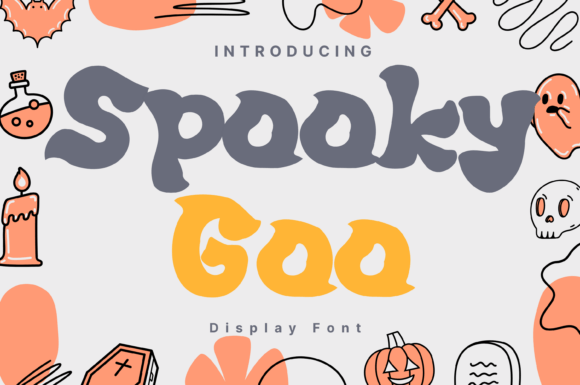
When it comes to Halloween-themed design projects, the right font can make all the difference. Spooky Goo and its stylistic counterpart, Spooky Goo Style, offer a unique blend of playful and eerie aesthetics. Inspired by dripping slime and ghostly shadows, these display fonts are ideal for Halloween party posters, haunted house flyers, horror-themed branding, and more. But like any design element, choosing and using them effectively requires some care and understanding.
What Makes Spooky Goo Stand Out?
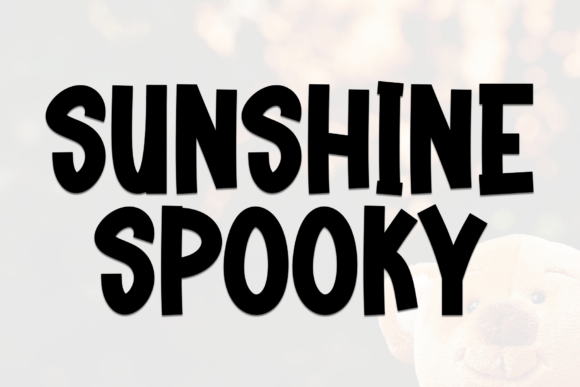
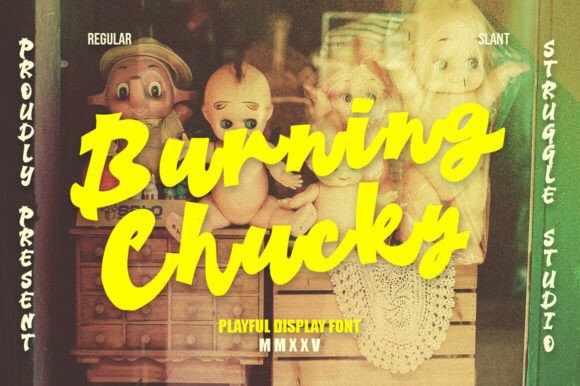
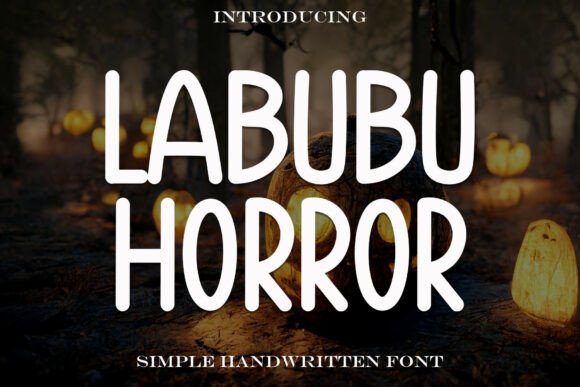
The charm of Spooky Goo lies in its bold, bubbly letterforms that still manage to evoke a sense of the supernatural. It’s not overly grotesque or hard to read, which makes it versatile for both digital and print use. Whether you're creating a fun trick-or-treat banner or a more sinister horror movie poster, this font adds a visual twist that’s hard to ignore.
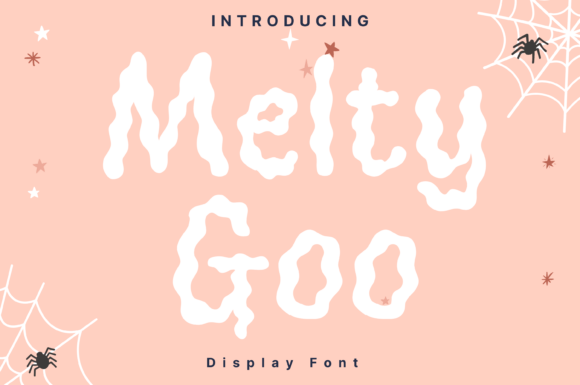
Its dripping, uneven edges and ghostly outlines give it a hand-crafted feel, which can help your design stand out in a sea of generic Halloween fonts. It’s especially effective when used sparingly as a headline or title font, allowing the design to remain legible while still capturing the spooky spirit.
Common Mistakes When Using Spooky Goo
Despite its visual appeal, many designers make avoidable mistakes when incorporating Spooky Goo into their work. Understanding these pitfalls can help you get the most out of this distinctive font.
1. Overusing the Font
One of the most common misuses is applying Spooky Goo to large blocks of text. While its design is eye-catching, it’s not ideal for body copy due to its decorative nature and inconsistent spacing. This can lead to readability issues, especially in printed materials or low-resolution digital displays.
Better approach: Use it for headlines, titles, or short phrases. Pair it with a simpler, complementary font for the rest of your text to maintain clarity and visual balance.
2. Ignoring Licensing Terms
Some designers download and use Spooky Goo without verifying the licensing agreement. Depending on the source, the font may be free for personal use but require a paid license for commercial projects. Failing to comply can lead to legal complications down the line.
Better approach: Always check the licensing details before downloading. If you're using the font for a client or business purpose, ensure you have the appropriate commercial license.
3. Poor Color Choices
The eerie aesthetic of Spooky Goo Style tempts many into using overly bright or clashing colors. Neon greens, blood reds, and glowing effects might seem appropriate, but they can overwhelm the design and distract from the message.
Better approach: Stick to a cohesive color palette that complements the font’s style. Dark backgrounds with subtle glowing effects or muted tones often work best. Test your color choices in different lighting conditions to ensure readability.
4. Neglecting Kerning and Spacing
Due to its irregular shapes, Spooky Goo sometimes requires manual adjustment of letter spacing to avoid awkward gaps or overlaps. Automatically spaced text can look uneven and unprofessional.
Better approach: Take the time to fine-tune the kerning, especially in headlines or logos. This small adjustment can significantly improve the overall appearance and professionalism of your design.
What to Check Before Downloading or Buying Spooky Goo
Before you commit to using Spooky Goo in your project, there are a few key factors to consider:
- Character Set: Ensure the font includes all the characters you need, such as uppercase, lowercase, numbers, and special symbols.
- Format Compatibility: Check whether the font is available in standard formats like TTF or OTF, and that it works with your design software.
- Design Consistency: Preview the font in different sizes to see how it holds up. Some decorative fonts lose clarity when scaled down.
- Vendor Reputation: Download from trusted sources to avoid malware or poor-quality files. Read reviews or look for samples before committing.
How to Use Spooky Goo Effectively in Design Projects
When used correctly, Spooky Goo can elevate your Halloween-themed designs and help you connect with your audience in a memorable way. Here are some practical tips:
- Limit Usage to Focal Points: Let the font shine in titles, logos, or call-to-action buttons. Avoid using it for long paragraphs.
- Pair with Complementary Fonts: Combine with a clean sans-serif or a traditional serif font to create visual contrast and balance.
- Test Across Devices: View your design on different screens and print samples to ensure legibility and consistency.
- Consider Context: Think about where the design will be seen. A flyer for a family-friendly event may benefit from a lighter color scheme, while a horror-themed brand might lean into darker, more dramatic visuals.
Final Thoughts
Spooky Goo is more than just a Halloween font—it’s a design tool that blends fun and fear in a way few others can. By avoiding common mistakes and making thoughtful design choices, you can ensure your work stands out while maintaining professionalism and readability. Whether you're a seasoned designer or just starting out, taking the time to understand and apply this font effectively will help your Halloween projects make a lasting impression.
If you're looking for a font that captures the essence of Halloween without sacrificing style or usability, Spooky Goo is definitely worth exploring—just remember to use it wisely.